
Locations, IDs and paths
Everything in RackTrace sits in one hierarchy, from the tenant down to the single port. Knowing it makes everything else easier.
From tenant to port#
Everything sits in one hierarchy. Each level has a short ID, so every port has its own path, such as HQ/28/SL/RK001/C/01.
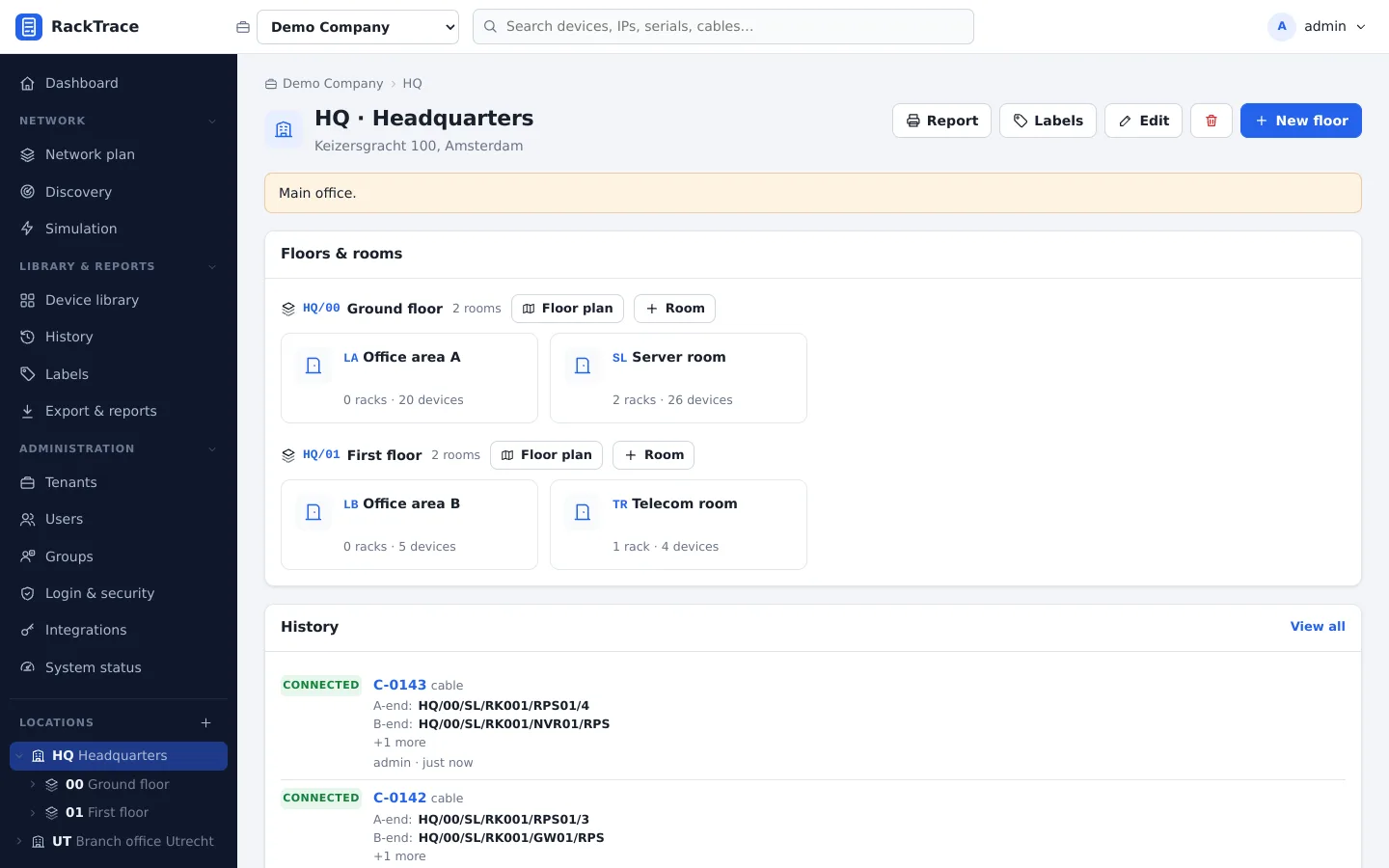
| Level | What it is | Example ID |
|---|---|---|
| Tenant | A fully separate environment: your own organisation, or one customer. | — |
| Site | A building or location. | HQ |
| Floor | A floor of the site. | 00, 28 |
| Room | Server room, telecom room, office area … | SL |
| Rack | A rack with a height in U. Devices are placed by their bottom U. | RK001 |
| Device | A switch, patch panel, server, floor box, access point, PC … in a rack or directly in a room. | SW01 |
| Port | A front or rear port of a device. | 01 |
How ports and cables work, from patch panels to trunks, is explained in Ports, cables and trunks. A tenant with two separate environments uses networks.
What you may change depends on your role and groups. Pages hide what you cannot do. See Roles and rights.
Example: the path of a port#
The path HQ/00/SL/RK001/PP01/01 reads as:
| Part | Level | Meaning |
|---|---|---|
HQ | Site | Headquarters |
00 | Floor | Ground floor |
SL | Room | Server room |
RK001 | Rack | Main rack |
PP01 | Device | A patch panel |
01 | Port | Port 01 of the panel |
A device that is not in a rack has no rack in its path: a floor box in the office is HQ/00/LA/FB01, and its first port HQ/00/LA/FB01/01.
IDs and paths#
- An ID may contain letters, digits and
. _ - + #, at most 32 characters, with no spaces or slashes. - IDs must be unique within their parent, ignoring upper and lower case: two racks in one room can't both be
RK001, but two rooms can each have one. - Leave the ID empty and RackTrace makes one from the name: the initials of several words (Server Room →
SR, Floor 28 →F28), or the word in capitals. If it's taken,-2,-3… is added. - A device without ID and name gets its category prefix and a number:
SW01,PP01,FB01,AP01,SRV01…