
History and search
On this page
Every change in RackTrace is recorded, and the search box in the top bar looks across all your tenants.
History#
Every change is recorded with who made it, when, and the old → new value. Open Library & reports → History, or View all under the history of a site, room, rack or device.
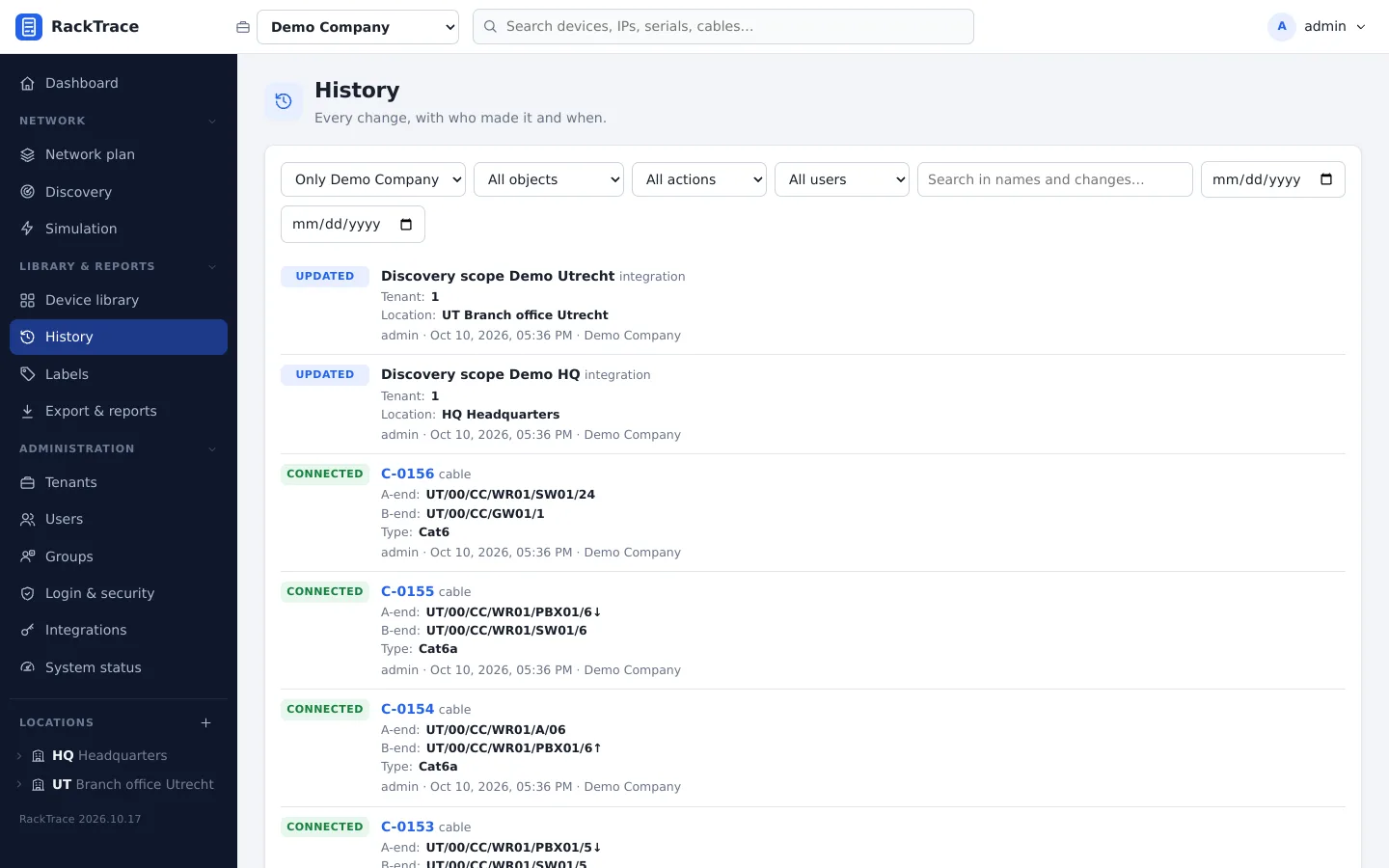
- Filter on the tenant, the type of object (sites, devices, ports, cables, VLANs …), the action (created, updated, moved, deleted, connected, disconnected, imported), the user, a text and the dates From and To.
- Click an object's name to open it. ∅ means empty.
- Load more shows older changes.
Search#
Type in the search box in the top bar. Results appear after two characters, or straight away with Enter, across all your tenants. Search looks in:
- the IDs and names of sites, floors, rooms, racks and devices;
- management IPs, serial numbers, asset tags, models and manufacturers;
- port labels and VLAN notes;
- cable labels;
- addresses and notes;
- VLANs: by number (30, vlan 30) or by name or purpose (Guest). A VLAN with exactly that number comes first;
- IP addresses: an exact address (10.0.0.5), the start of an address (10.0.0.) or a subnet (10.0.0.0/24, everything in use in it). RackTrace looks at management IPs, IP assignments, DHCP reservations and the devices and clients a discovery source sees. Each result shows the VLAN that holds the address;
- MAC addresses, complete or the first part, with or without separators (aa:bb:cc:00:11:22, AABBCC001122).
VLANs, IP addresses and MAC addresses come first in the results. Only the tenants you have access to are searched.
One click further#
- A port result opens its device, a cable result opens its trace.
- A VLAN result opens the network plan with the ports that carry that VLAN. Open one to go to its device, or press Trace to follow its cable.
- An IP address result opens its device. Next to it are VLAN, the VLAN that holds the address, Port & trace, the switch port where a discovery source sees the device, and IP plan, the IP addresses tab filtered on that address.
- On the VLAN list, the subnet opens the IP addresses tab filtered on that subnet, and the Ports count shows the ports. On the IP addresses tab, the VLAN number of a subnet opens its ports.
A long list shows Only the first N are shown (and a + after the count): type more of the address, name or subnet to narrow it down. A link to a VLAN or an address of another tenant switches to that tenant first.
Search for one ID at a time (RK001, not HQ/00/SL/RK001).