
Share links
On this page
Send an installer, a supplier or a colleague without an account a link to one floor, room or rack. They open it in any browser, without signing in, and see the place as it is documented now — read only, until the link expires or you withdraw it.
Making a link#
- Open the place you want to share:
- a floor: Share at the top of the floor page;
- a room: Share at the top of the room page, or Share a read-only link in the row view;
- a rack: Share a read-only link under Rack in the rack editor.
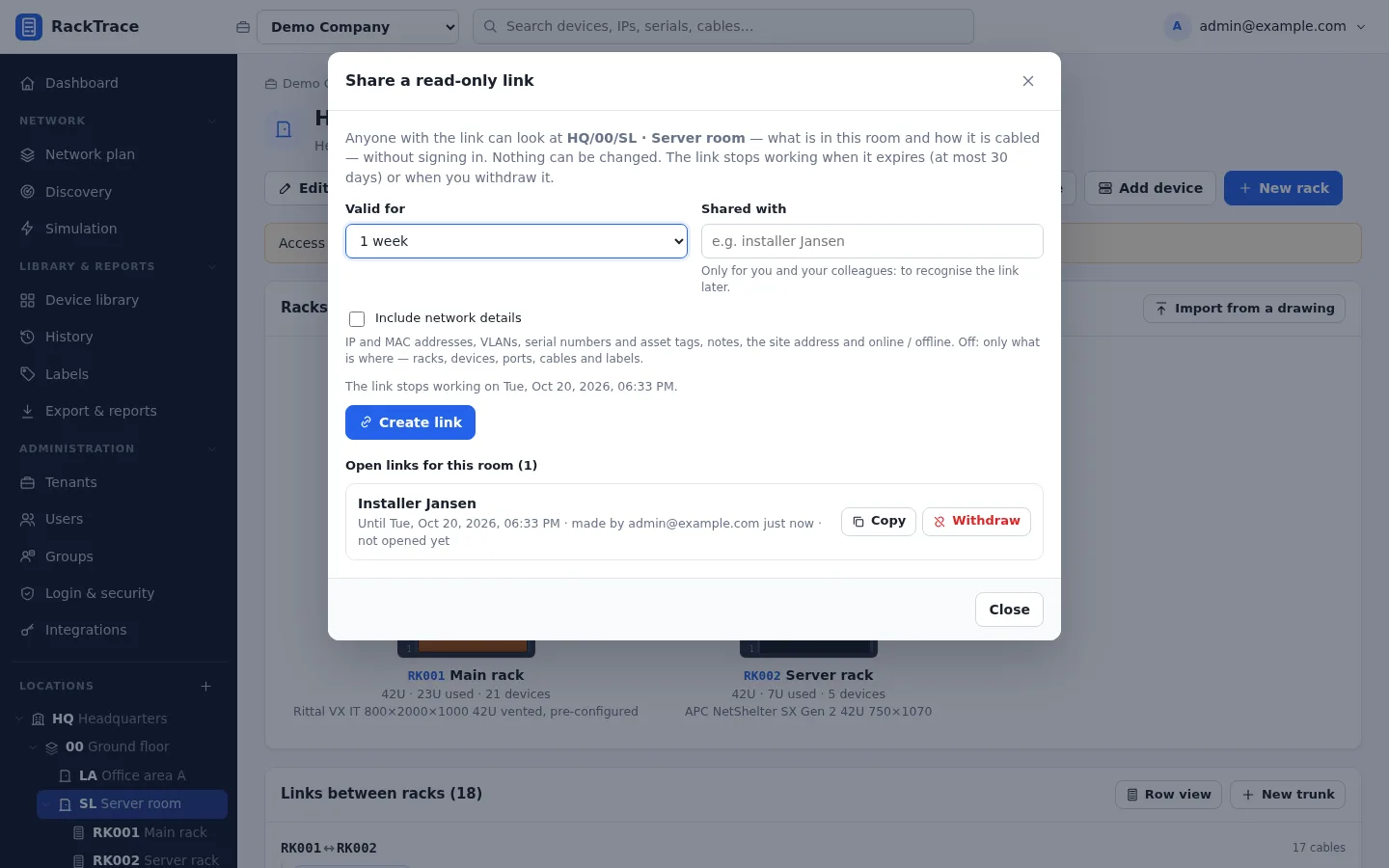
- Choose how long it is Valid for: 1 day, 3 days, 1 week (the default), 2 weeks or 30 days. 30 days is the longest; after that the link stops working by itself.
- Fill in Shared with (optional), e.g. installer Jansen. Only you and your colleagues see it, to recognise the link later.
- Tick Include network details only when the receiver needs them (see What the receiver sees).
- Click Create link. The address is copied; send it by e-mail or chat.
Only editors and administrators with the Export right on the tenant make, see and withdraw links (see Roles and rights). A viewer never can — also not with the Export right through a group — and does not see the buttons. Every link is in the history of the place: Shared, with until when, for whom and whether network details are included.
What the receiver sees#
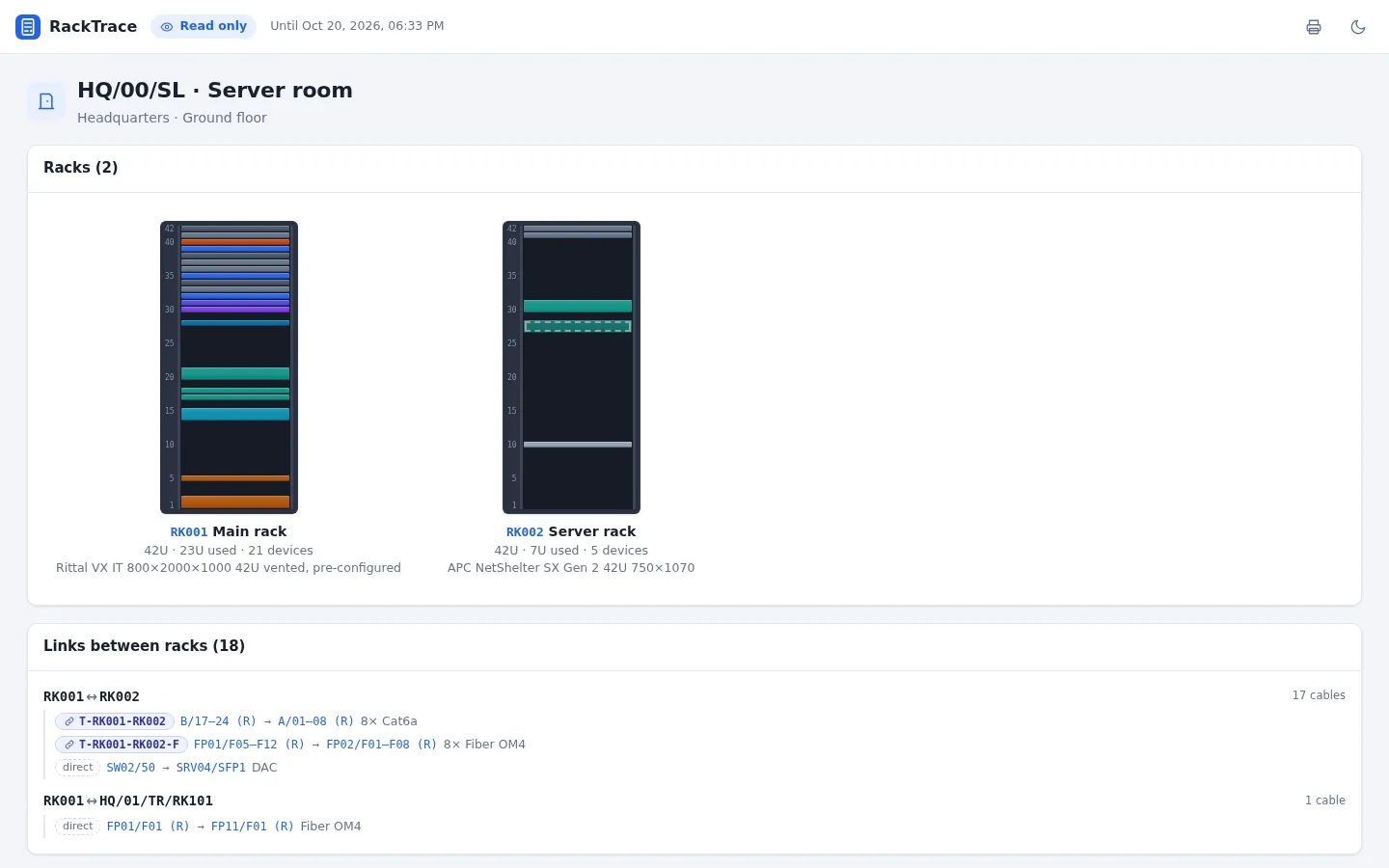
The link opens a page of its own with your logo, Read only and until when it works. It shows the place as it is now: what you change is visible at once.
| Shared | The receiver sees |
|---|---|
| A floor | The floor plan and its rooms; from there every room, rack and device on the floor |
| A room | Its racks — as a diagram or As it looks: side by side with the cable tray and the cables between them — the links between them, the devices outside racks and the room on the floor plan; from there its racks and devices |
| A rack | The rack from the front and the rear — as a diagram or As it looks — and its devices |
A device shows its ports, the cable on each port, what it is connected to and where it ends up (through patch panels and outlets). A cable that leaves the shared place shows where it goes, but that place cannot be opened.
Without Include network details the receiver sees what is where: racks, devices, models, ports, cables and labels. With it also IP and MAC addresses, VLANs, serial numbers and asset tags, notes, the site address and online / offline. Passwords and keys of integrations are never shared, nor the history, users or anything else of the tenant.
Note
Anyone who has the link can open it — it works like a key. Send it only to whom it is meant for, keep it as short as needed, and withdraw it when the work is done.
Open links and withdrawing#
- The Share dialog lists the open links of that place: for whom, until when, by whom, and how often it was opened.
- Library & reports → Export & reports → Share links lists every open link of the tenant.
- Copy copies the address again; Withdraw stops the link at once, also for someone who has it open. Withdrawing is in the history (Unshared).
An expired link is no longer listed. Someone who opens a withdrawn or expired link gets a page that says so; make a new link if they still need it.
The live demo on racktrace.io#
View a demo rack on racktrace.io opens a share link of RackTrace's own demo organization: the same read-only page as above, with a fully cabled example customer and a bar with Start free trial. It is the only kind of link that does not expire, and only that one organization can make it (Valid for → Does not expire (live demo)). Links of your organization always end, after 30 days at most.