REST API and API tokens
On this page
Everything you see in RackTrace is also available through its REST API: the same addresses the app itself uses, under /api on your organization's address (e.g. https://acme.racktrace.io/api/…). A script, a PSA, a CMDB or a nightly export uses it with an API token instead of signing in.
Making a token#
Only administrators make tokens (see Roles and rights).
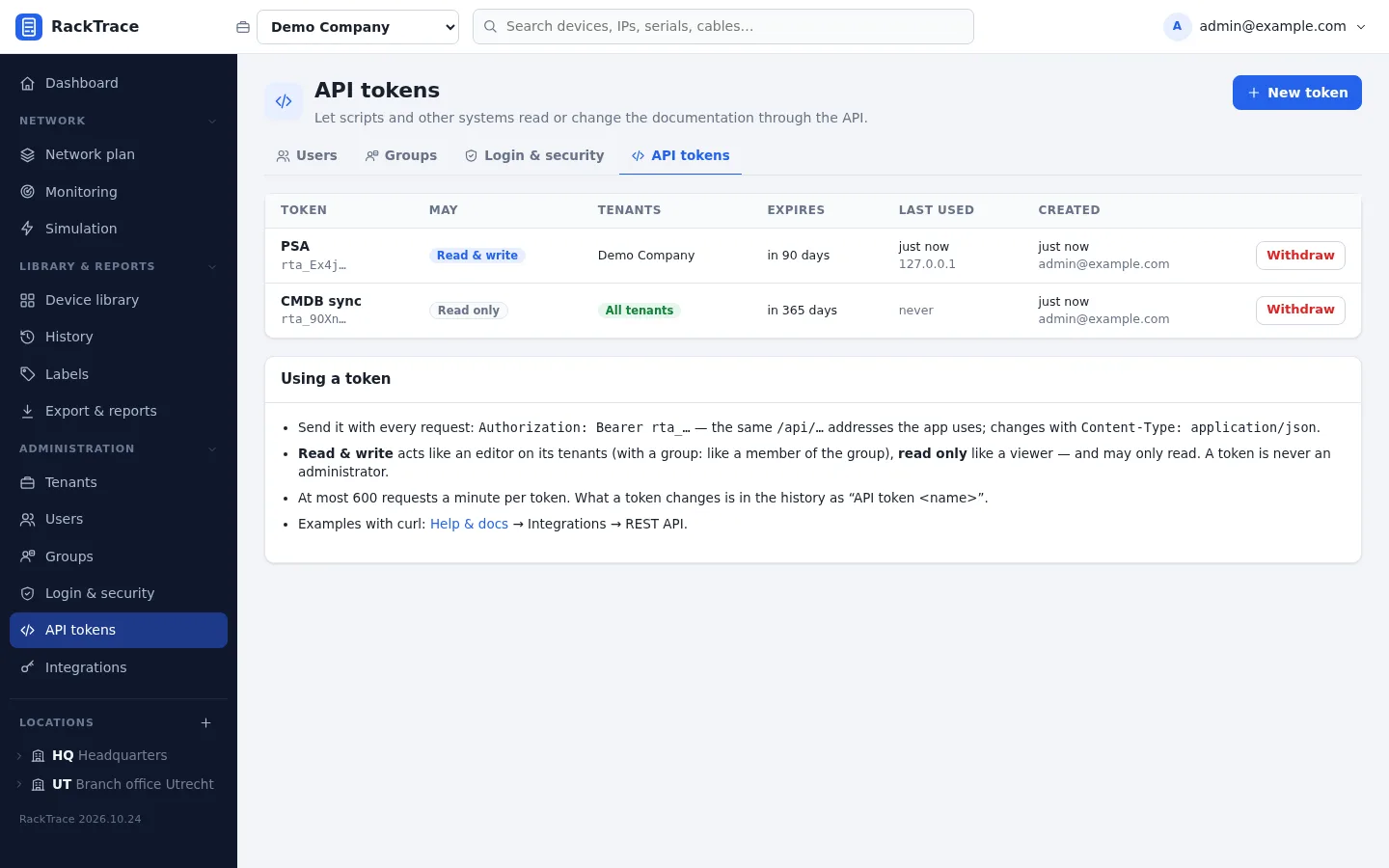
- Go to Administration → API tokens and click New token.
- Give it a Name that says who uses it, e.g. CMDB sync or PSA. Changes made with the token are in the history under this name.
- Choose how long it is Valid for: 1 week to 1 year. After that it stops working by itself.
- Choose what it May do:
- Read only — look things up and export; it can never change anything.
- Read & write — also add, change and delete.
- Choose its Tenants:
- All tenants — including tenants added later;
- Only the tenants ticked below;
- The tenants and rights of a group — the token gets exactly what a member of that group gets; with Read only only what changes nothing.
- Click Create token and copy it. It starts with
rta_and is shown only once: RackTrace keeps only a fingerprint of it, so nobody — also not RackTrace — can show it again. Lost it? Withdraw it and make a new one.
One token per system
Make a separate token for every script or system. You then see what each one does, and you can withdraw one without stopping the others.
Using a token#
Send the token with every request in the Authorization header. Requests that send data use JSON.
What this token is and may do:
curl -H "Authorization: Bearer rta_…" https://acme.racktrace.io/api/tokenThe tenants it can see, and the locations of one of them:
curl -H "Authorization: Bearer rta_…" https://acme.racktrace.io/api/tenants
curl -H "Authorization: Bearer rta_…" https://acme.racktrace.io/api/tenants/1/tree
All devices of a tenant as CSV:
curl -H "Authorization: Bearer rta_…" -o devices.csv https://acme.racktrace.io/api/tenants/1/export/devices.csvAdd a site (read & write):
curl -H "Authorization: Bearer rta_…" -H "Content-Type: application/json" \
     -d '{"tenant_id": 1, "name": "Warehouse", "code": "WH"}' \
     https://acme.racktrace.io/api/sites
Change a device (read & write):
curl -X PUT -H "Authorization: Bearer rta_…" -H "Content-Type: application/json" \
     -d '{"mgmt_ip": "10.0.10.21", "serial": "FDO2213X0AB"}' \
     https://acme.racktrace.io/api/devices/42
On your own server use your own address instead of acme.racktrace.io. The addresses, fields and answers are the same as those of the app: to see the request behind a screen, open the developer tools of your browser (F12, tab Network) and do it once in the app.
What a token may do#
A token acts as itself, never as the administrator who made it, and RackTrace checks every request exactly as it checks a person:
| Token | Acts like | Can |
|---|---|---|
| Read & write | An editor on its tenants (with a group: a member of that group) | Read, export, add, change and delete in its tenants — with a group only the parts the group's rights allow |
| Read only | A viewer on its tenants | Read and export; every other request is refused (token_read_only) |
A token is never an administrator: it cannot add or delete tenants, change global templates, or anything else that needs an administrator. Some parts are closed to every token, whatever its rights (token_forbidden):
- signing in, accounts and My account;
- users and groups;
- Login & security, including Microsoft sign-in and support access;
- API tokens themselves;
- billing and the plan;
- backups and system status;
- the settings and keys of integrations;
- share links — a public link would keep working after the token is withdrawn.
A token whose group or tenants are deleted reaches nothing from then on — never more than before.
Last use, history and limits#
- Administration → API tokens shows per token what it may do, its tenants, when it expires and when and from which address it was last used.
- Everything a token changes is in the history as API token and its name, e.g. API token PSA. Making and withdrawing tokens are in the history too (filter on API tokens, scope All tenants & system).
- At most 600 requests a minute per token. Every answer says how many are left (
RateLimit-Remaining); above the limit the answer is429withRetry-After: wait that many seconds. - Tokens are not part of backups: after a restore of the organization every token is gone and you make new ones.
| Answer | Means |
|---|---|
401 token_invalid | Unknown token: mistyped, or withdrawn |
401 token_expired | The token has expired — make a new one |
403 token_read_only | A change with a read-only token |
403 token_forbidden | A part no token may use |
403 (other) | The token has no access to this tenant, or not this right |
429 rate_limited | Too many requests — wait Retry-After seconds |
Withdrawing a token#
Click Withdraw next to the token in Administration → API tokens. It stops working at once: the next request with it gets 401. An expired token stays in the list (marked Expired) until you Remove it.
Caution
Treat a token like a password: keep it in the secret store of the system that uses it, never in a script you share or in a ticket. Suspect it leaked? Withdraw it.